Retrieve Data Using the Badger Meter Remote Monitoring Historian API
Historical site data can be retrieved using the Badger Meter Remote Monitoring Historian API. Once retrieved, this data can be imported into a third party system, used for billing purposes, merged with other data to create comprehensive reports, and for numerous other reasons.
|
|
 PREREQUISITES:
 NOTE: This topic does not go in-depth with how to perform every API call, but covers the basics. You can find more information on the Telog Remote Monitoring Historian API Help Page.
Before you can import or retrieve data using the API, you must complete a few things first, such as:
- Acquiring or requesting the authentication token
- You'll need to determine the ID of the measurement you wish to retrieve data from
- Once you have a measurement ID, you can request the measurement’s data
 Acquire the Authentication Token
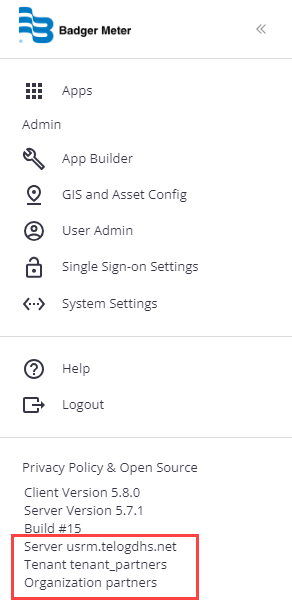
To request the Badger Meter Remote Monitoring JWT authentication token, utilize the following information. Please note that this is a short-lived token and expires within 20 minutes. You will need to acquire a new authentication token anytime your existing one expires.
Remote Monitoring Authentication Token Endpoint
POST https://usrm.telogdhs.net/api/v2/tokens
{
    "tenant": "SampleTenantId",
    "username": "SampleUsername",
    "password": "SamplePassword"
}
The expected response is only the bearer token will be used in the Authorization header in later requests.
|
|
Once the authentication token is configured, you can retrieve a site.
Lookup a Site ID
You can look up a monitoring site and retrieve its ID using the api/sites endpoint.
- Use the following URL to call the API from: https://api.telogdhs.net.
NOTE: If you have an on-premise installation and Telog Enterprise, you will need to use your local API instance as the URL instead of the public-shared Badger Meter Remote Monitoring site URL. In the following example, the Postman placeholder {{telogapi}} contains this URL.
- To find an existing site, use sites endpoint and GET command. By including parameters, such as the site name, you can narrow down your search results.
Here is an example of finding an existing site that has a name starting with hpr using Postman and JSON.
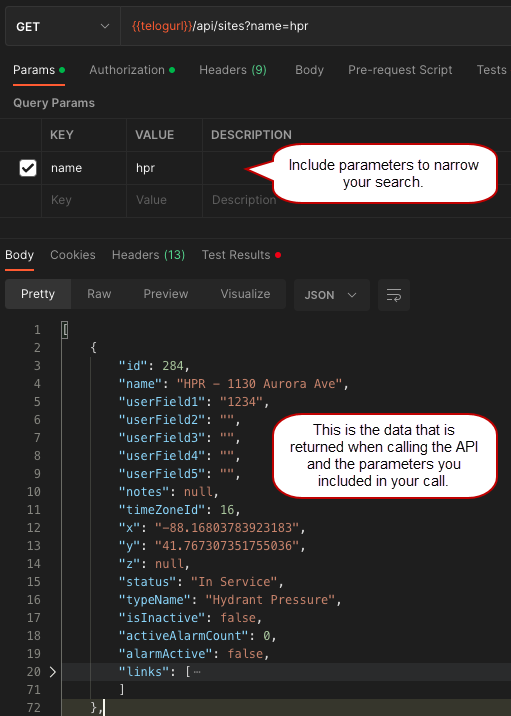
Once you have found an existing site, you can retrieve its measurements using the site ID. In this example, the site ID returned is 284.
Lookup a Measurement ID
You can look up a measurement and retrieve its ID using the api/measurements endpoint.
- Use the following URL to call the API from: https://api.telogdhs.net.
NOTE: If you have an on-premise installation and Telog Enterprise, you will need to use your local API instance as the URL instead of the public-shared Badger Meter Remote Monitoring site URL. In the following example, the Postman placeholder {{telogapi}} contains this URL.
- To find an existing measurement, use measurements endpoint and GET command. By including parameters, such as the measurement name, you can narrow down your search results.
Here is an example of finding an existing measurement that belongs to the site with ID 284 and has the name pressure using Postman and JSON.
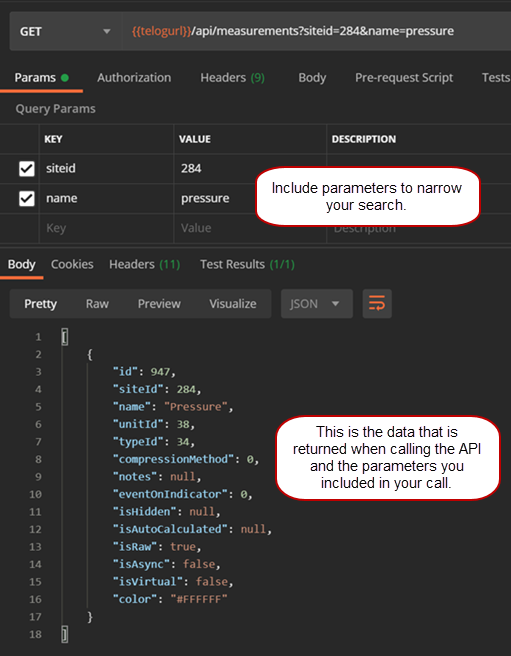
Once you have found an existing measurement, you can retrieve its data using the measurement ID. In this example, the measurement ID returned is 947.
- Repeat the process for each measurement you want to retrieve data for.
Retrieve Trend Data for Measurements
You can retrieve trend data with a measurement ID using the api/measurements/measurementid/data endpoint. The API will limit the amount of data returned in a single call. Refer to the API’s online documentation for details about how paging works.
- Use the following URL to call the API from: https://api.telogdhs.net.
NOTE: If you have an on-premise installation and Telog Enterprise, you will need to use your local API instance as the URL instead of the public-shared Badger Meter Remote Monitoring site URL. In the following example, the Postman placeholder {{telogapi}} contains this URL.
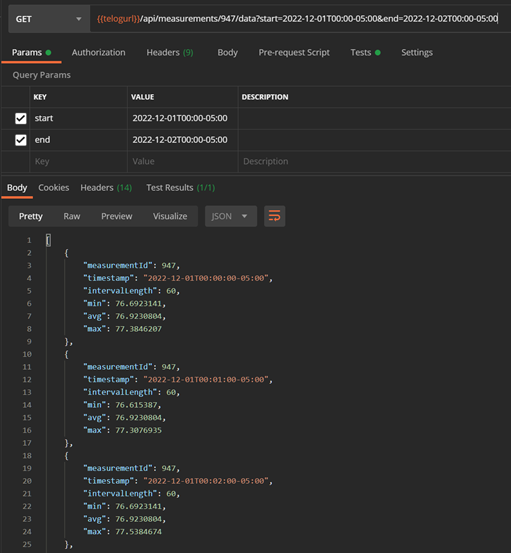
- To retrieve measurement data, use the TrendData endpoint and GET command. By including parameters, such as start, end, and last, you can limit the amount of data returned.
Here is an example of retrieving data from December 1, 2022 for measurement 947 using Postman and JSON. In this example, the start and end times are expressed in GMT-5 for the U.S. Eastern time zone.
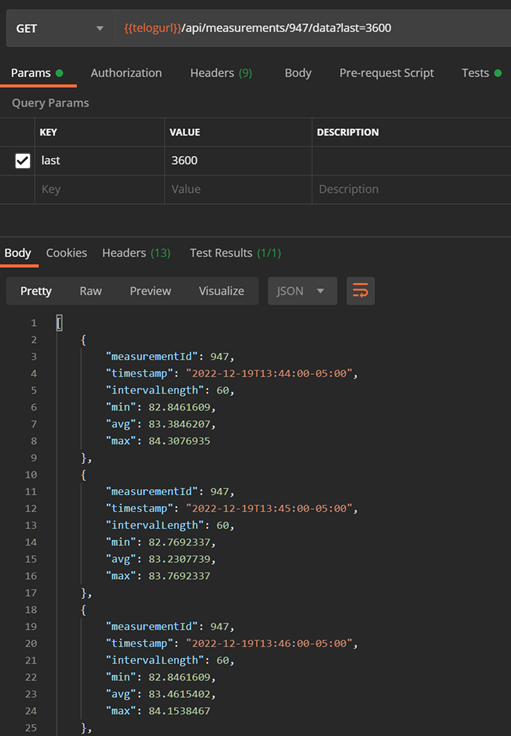
Here is an example of retrieving the most recent or available, hours' worth of data for measurement 947 using Postman and JSON. In this example, we use the last parameter to request the most recent 3,600 seconds or one hour of data.