Create ArcGIS Web Maps Using Remote Monitoring Data
The Remote Monitoring ArcGIS Connector supports bringing the following data into ArcGIS Online and Enterprise:
- Sites: Remote monitoring sites that have (or previously had) an associated RTU to record data such as pressure, flow, level, etc.
- Alarms: RTU recording channels may have alarm thresholds configured for which the RTU reports an alarm when the channel data breaches the threshold (for example, a level monitoring site reporting a high level).
- Impulses: Impulse-enabled RTUs (denoted with an 'i' in the model name) are capable of detecting rapidly changing trend data on the recording channel. A typical application of this is to detect water hammer events on the drinking water network.
- Measurement KPI Data: Calculated asset performance KPI data can be directed to ArcGIS related tables for use in dashboards and other reporting tools.
|
|
 PREREQUISITES:
- Log in to your ArcGIS Online or Enterprise organization.
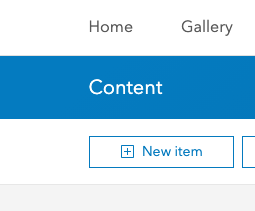
- Click New Item.
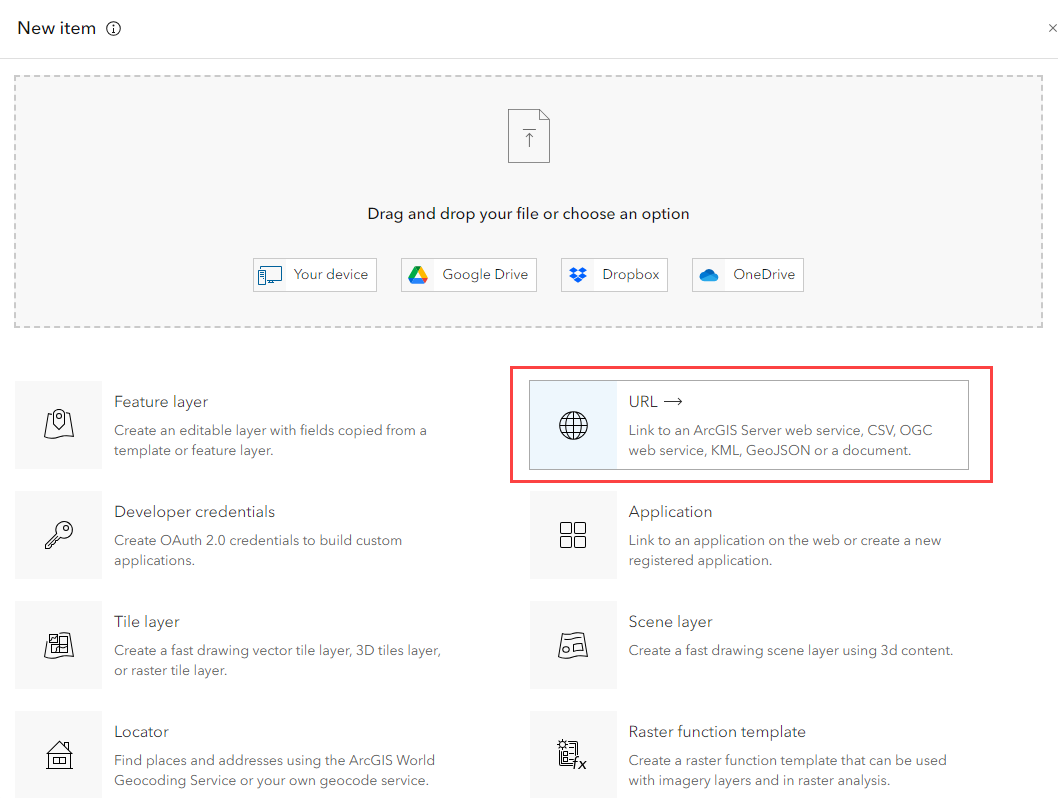
- Select a URL from the list of options. You can use the URL for the full service or the individual layers can be referenced directly:
- Full service (alarms, impulses, and sites): https://usrm.telogdhs.net/geoservices/rm/rest/services/rm/FeatureServer
- Alarms layer: https://usrm.telogdhs.net/geoservices/rm/rest/services/rm/FeatureServer/0
- Impulses layer: https://usrm.telogdhs.net/geoservices/rm/rest/services/rm/FeatureServer/1
- Sites layer: https://usrm.telogdhs.net/geoservices/rm/rest/services/rm/FeatureServer/2
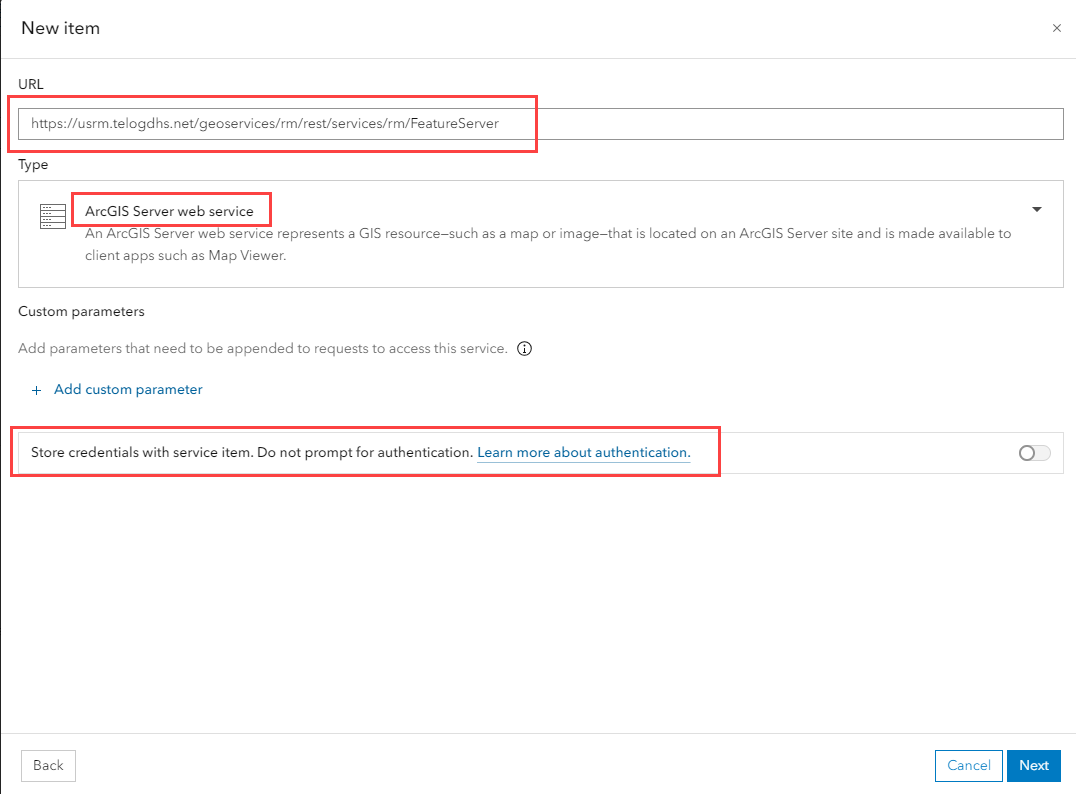
- Paste the URL from Remote Monitoring.
 IMPORTANT: Be sure to enable Store credentials with service item. Do not prompt for authentication.
- Click Next.
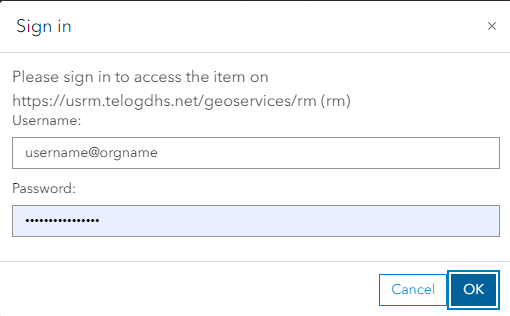
- Enter your credentials. The username should follow the format of <username>@<orgname> with the username being the Badger Meter Remote Monitoring administrator username that has been created for ArcGIS Connector. The password is the Remote Monitoring password for this user.
- Enter any service details you want to include, then click Save.
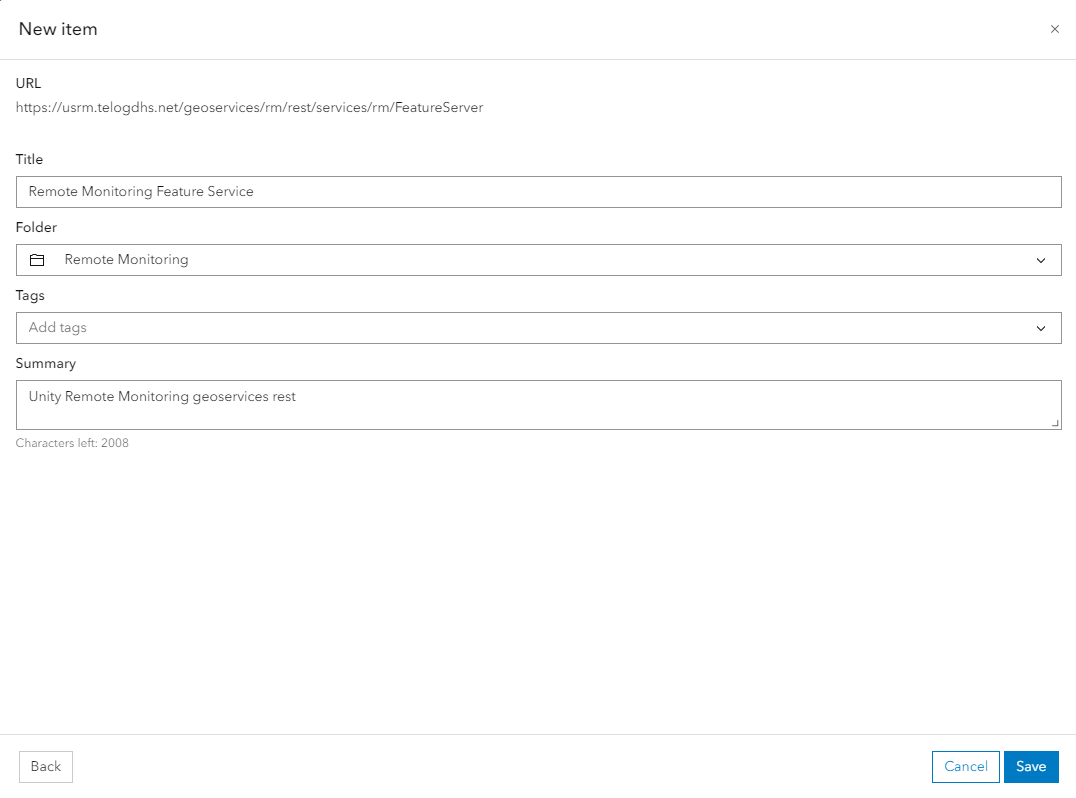
You are then redirected to the new content item details.
- Customize the item as needed.
- Click Open Map Viewer to view the data.
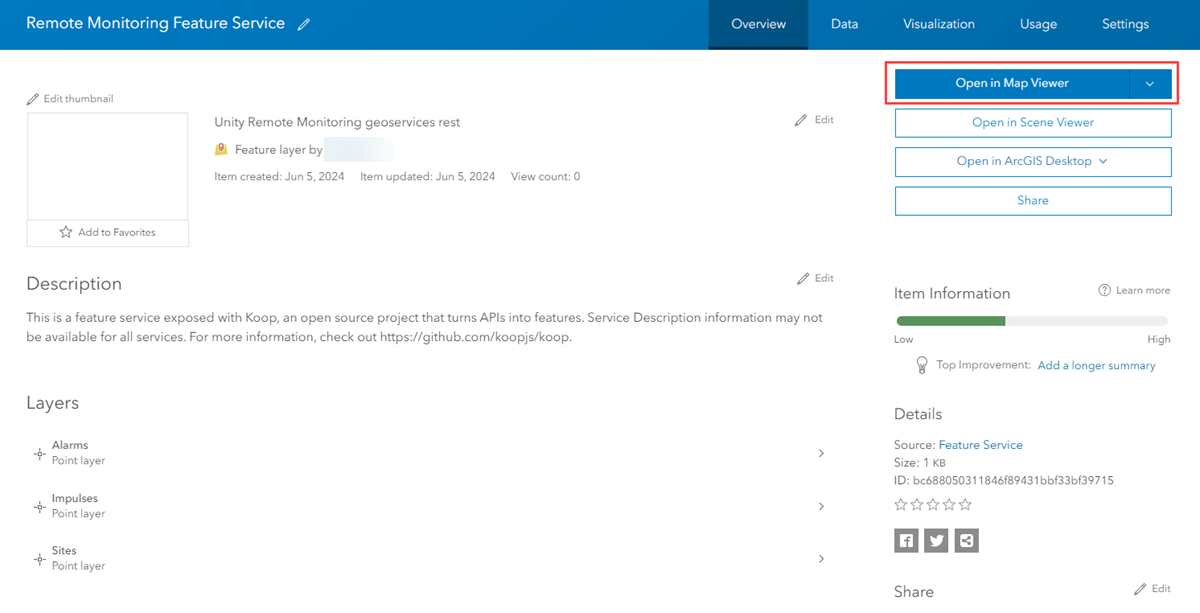
Now that the Badger Meter Remote Monitoring data is available in ArcGIS Online or Enterprise, you can create ArcGIS Dashboards and web maps and combine this feature layer with other GIS information. For more information on creating dashboards, see Esri's ArcGIS Dashboards documentation.